YouTube Monetization Checker Chrome Extension
Click Check monetization under any channel name and see whether the channel is likely in the YouTube Partner Program, with the public signals behind the answer.
For Chrome on a computer. Free, 20 checks a day shared with this website, no account needed.
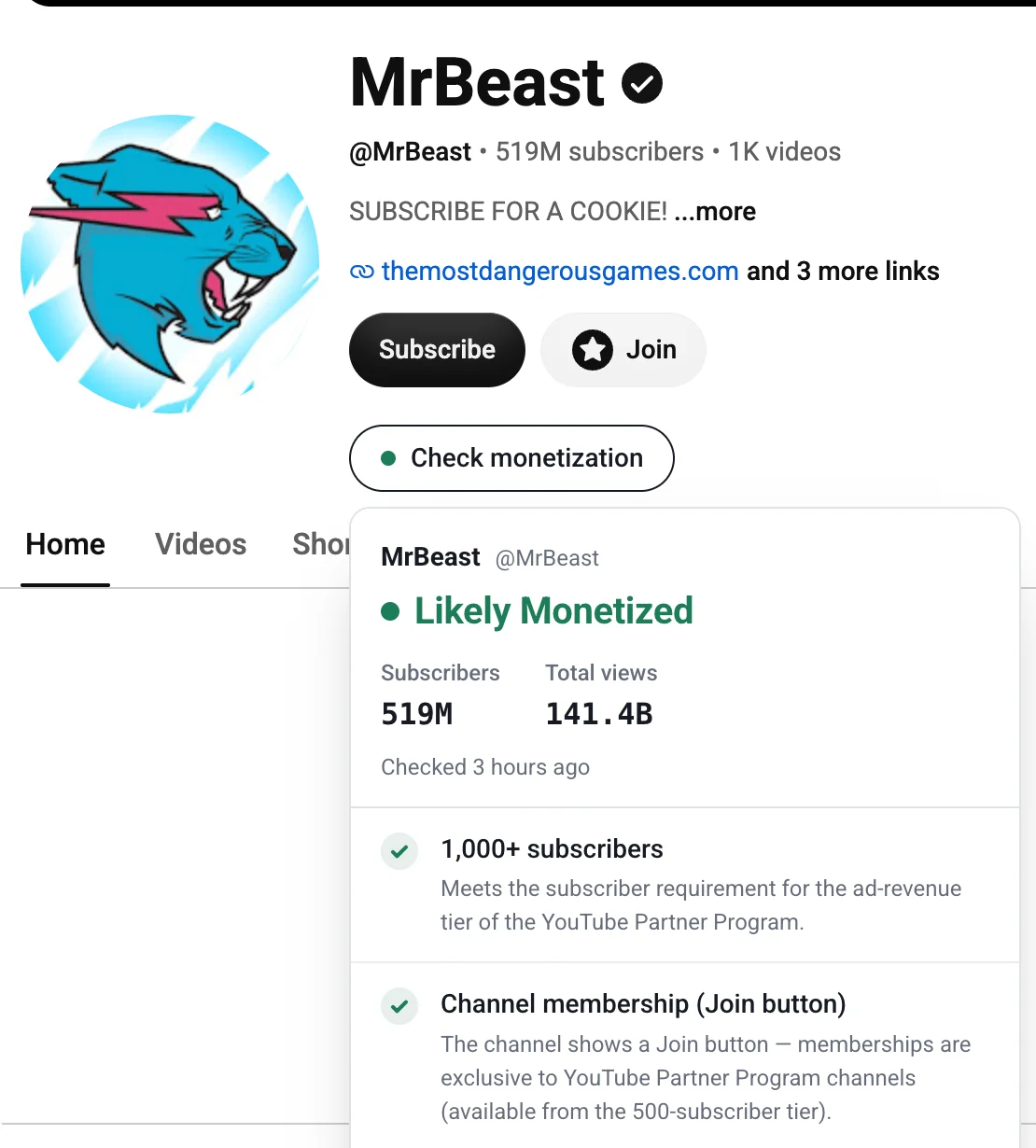
Check from the page or from the toolbar
On the page
On a channel page the button sits under the channel name. On a video page it sits next to the channel name, and when it can read that video, the result also tells you whether ads showed up on it. Click the button again or press Esc to close the card.
From the toolbar
Click the extension icon on a channel, video, Short or live page and the check runs right away. On any other page, paste a channel or video link into the popup instead.
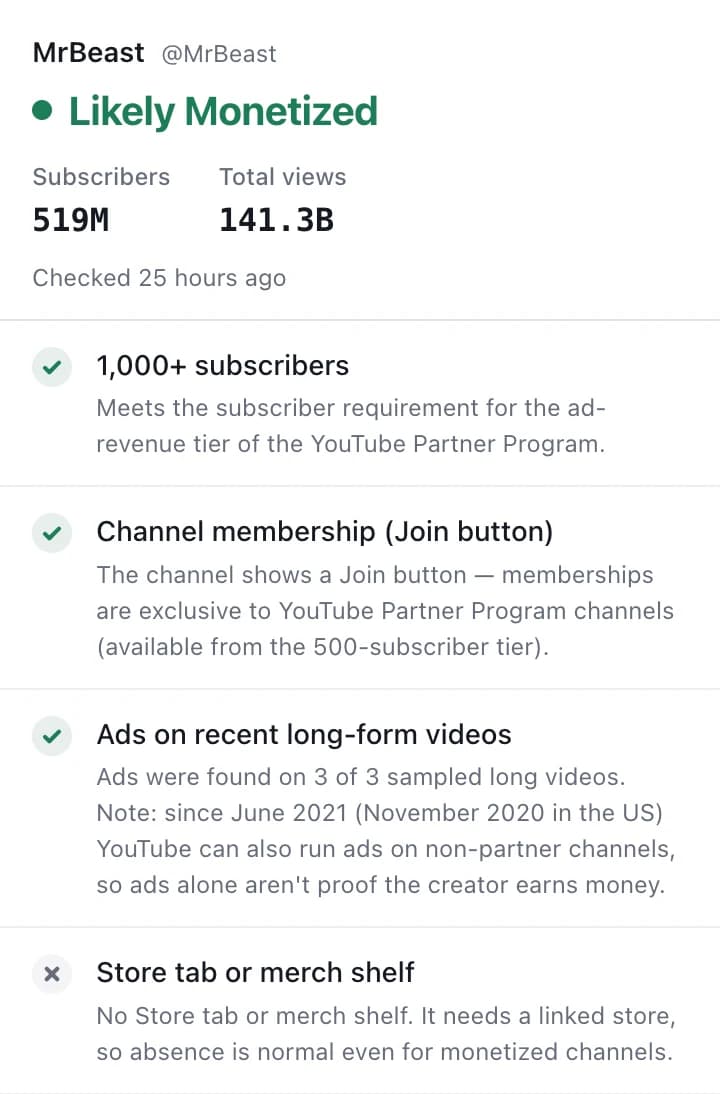
What the result tells you
The extension reads the same public signals as our web checker. YouTube stopped showing monetization status publicly in 2023, so every tool infers it. This one shows its working.
Four possible verdicts
- Likely monetized
- Strong public signs the channel is in the Partner Program.
- Possibly monetized
- Some signs are there, but they don't settle it.
- Likely not monetized
- The signs monetized channels usually show are missing.
- Unable to determine
- We couldn't read enough to make a call, and we say why.
The signals behind them
- Subscribers against the 500 and 1,000 thresholds
- A Join button for channel memberships
- Ads on the channel's recent long-form videos
- A Store tab or merch shelf
Each signal comes with one line on what it means, including when it proves little on its own.
What it sends, and what it doesn't
- Nothing is sent while you browse. A check runs only when you click the button, open the popup on a channel or video page, or submit a link, and only after you allow it the first time.
- Each check sends just the channel or video link, without playlist, time or tracking parameters.
- Checks from the extension never go into our public statistics. Results we fetch for it are kept for up to about 4 days.
- It asks for access to youtube.com only, and doesn't read your other tabs or sites.
Questions
Is it free?
Yes. You get 20 checks a day, shared with the checker on this website, and the count resets at 00:00 UTC. Reopening a result from the last 10 minutes doesn't use another check.
Why does a signal sometimes say it couldn't be read?
Our server reads the channel's public YouTube pages, and now and then YouTube doesn't let it open the video pages. The card tells you when that happens instead of guessing. A later check may fill it in.
Which browsers does it work in?
It's built and tested for Google Chrome on desktop, installed from the Chrome Web Store.
What if the channel isn't monetized yet?
The card links to the Tracker, which follows a channel every day and estimates when it will reach 1,000 subscribers.
Check channels while you browse
Free from the Chrome Web Store. Not affiliated with YouTube or Google.